Cases & product proof

See the system. Know what you’re buying.

Private software, on infrastructure you control. Inspect our products, choose your first use case and agree how to verify the system before handover.

Product demonstrations and proposed deployments. Client outcomes are published with permission.

Built here. Ready to inspect.

Explore five projects through their actual interfaces. Each shows a different problem we can help solve — and a concrete starting point for your own system.

Three interface views per project, captured in October 2026. Names, messages, amounts and counters are demonstration data, not client results. Each project’s development stage is stated below.

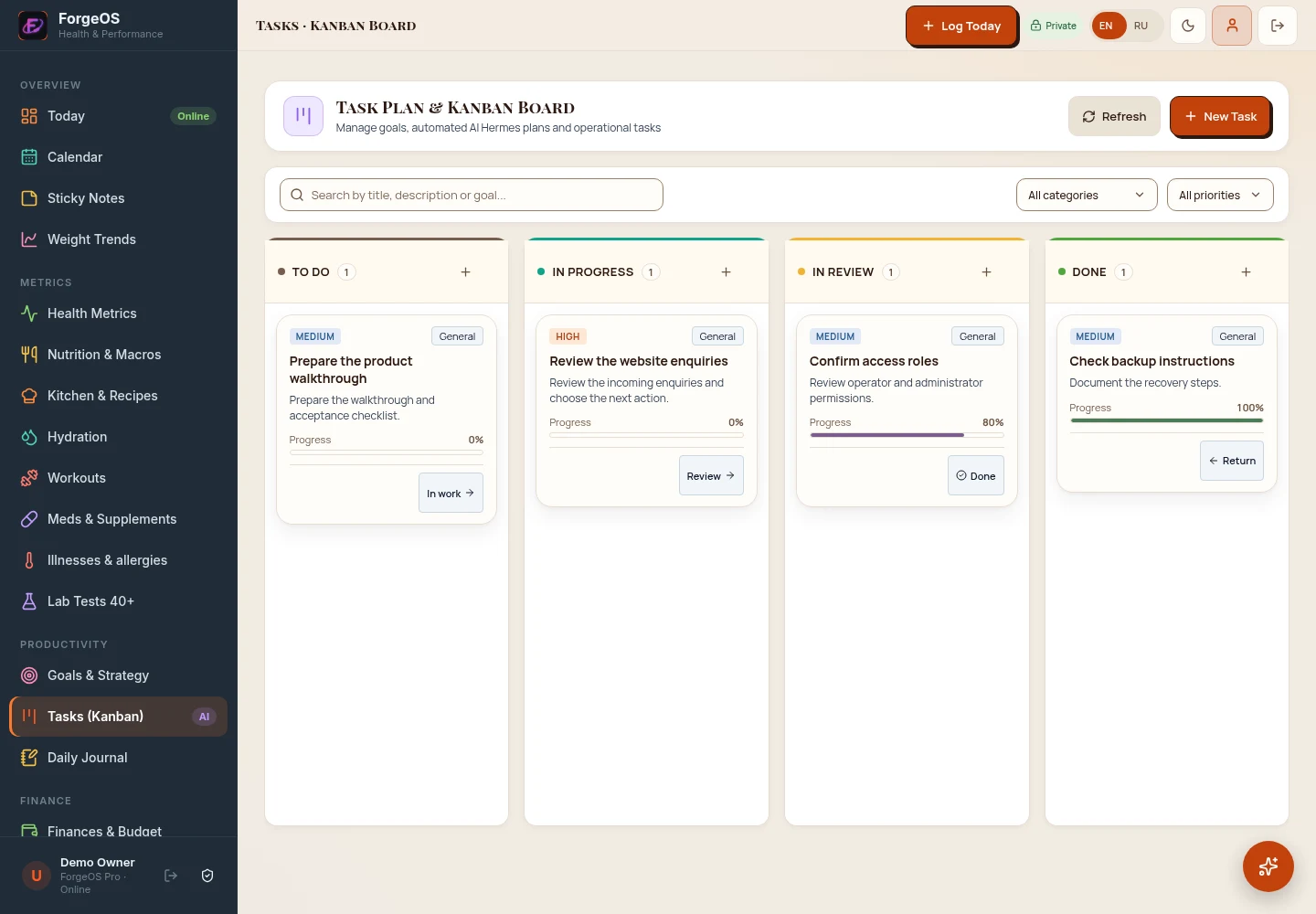
ForgeOSImplemented interface

Turn scattered plans into a clear next step.

The task

Daily priorities, tasks and personal records live in separate tools. It is hard to see what needs attention today.

What we built

A personal operations workspace with a Today dashboard, task board, priorities, goals, calendar and separate finance and health sections.

Your starting point

A reference for a private workspace organised around your day. This personal application is distinct from the ForgeOS Private Node deployment offer below.

What to inspect together

Create a task, set its priority and move it through the board. Agree which personal modules and integrations belong in your installation.

One private system. Built around your work.

Start with ForgeOS as the software core. Size the deployment for your workload. Add a specialised application when you need it.

Proposed deployment scenarios

Software core · start here

ForgeOS

When it fits

Your AI tools and automations are scattered across accounts. You want one private operating foundation on infrastructure you control.

Verify before ordering

Choose one workflow, define its data boundaries and agree how a successful run will be demonstrated.

Explore ForgeOS
Physical deployment

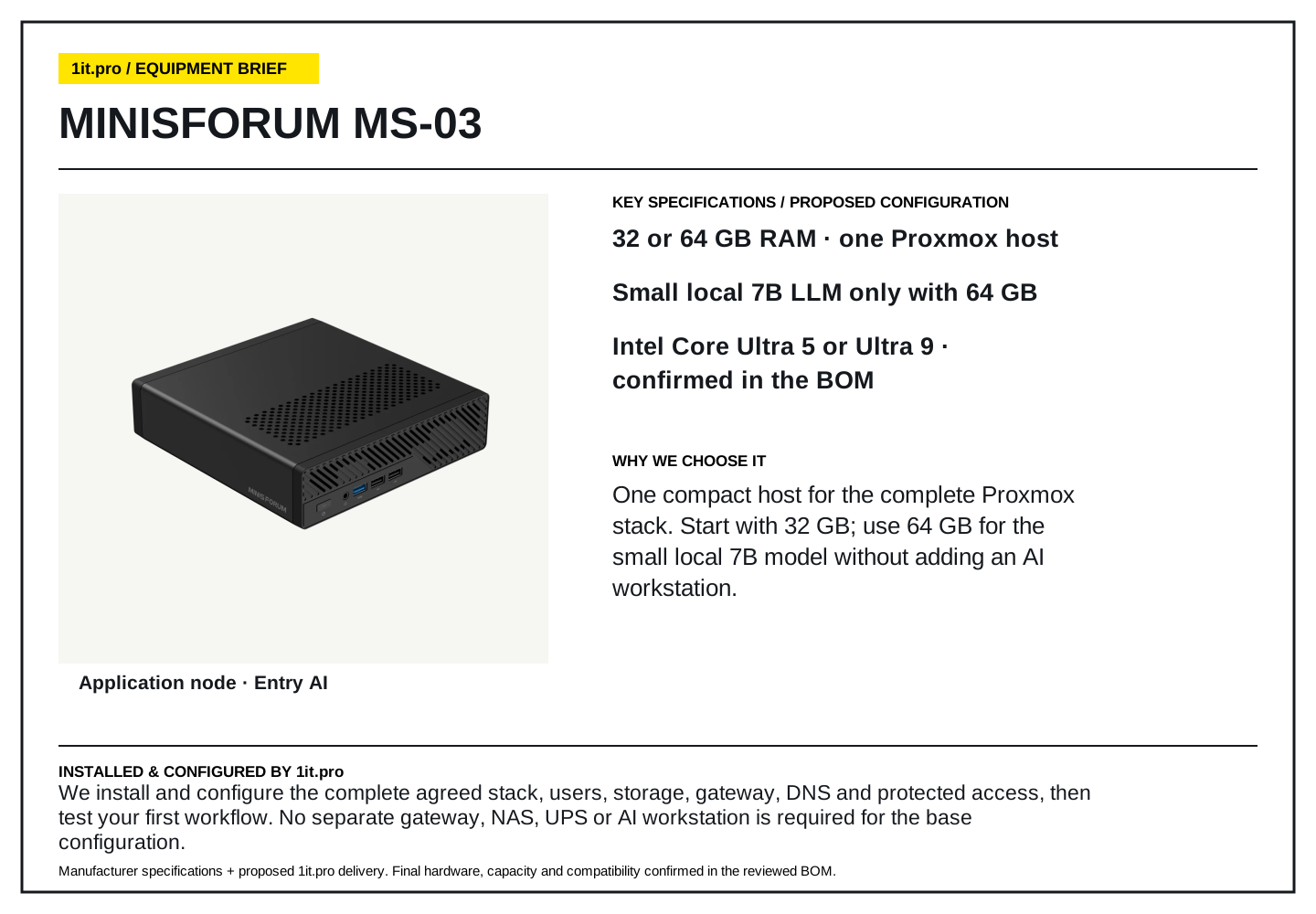
Private AI Station

When it fits

You need a physical node in your home or office network for the agreed software and local AI workload.

Verify before ordering

Confirm hardware, model fit, network access and a separate backup target before ordering.

Explore the deployment
Specialised application

Capital Compass

When it fits

You want a private workspace for planning, analysis and comparing scenarios on your node.

Verify before ordering

Agree the inputs, planning workflow and any external integrations. This is a planning and education tool.

Explore the application

These are product use cases, not completed client installations. The combination, model fit and integrations are confirmed for your project.

Build your configuration

Follow the work from request to next action.

Three implemented product workflows. Open a task to see the change and the test to request in a walkthrough.

1it.pro CRM · Product workflowWebsite enquiry → CRM record

The task

A new request needs a contact record, its source and a clear place in the pipeline.

What the system does

The form saves contact details, source and consent. A matching email or phone reuses the existing lead.

What to check in a walkthrough

Submit a test request and locate its record. Repeat it with the same contact details and inspect the matching behaviour.

Explore the product
FrontDesk AI · Product workflowContact details → booking request

The task

A visitor needs to choose a time without entering the same contact details again.

What the system does

The booking flow can reuse captured contact details and show available times from the configured calendar.

What to check in a walkthrough

Choose an available slot and inspect its booking status. Confirm the appointment in the configured calendar before treating it as booked.

Explore the product
Business systems · Product workflowOpen enquiry → accountable follow-up

The task

The next step sits in a chat or relies on someone remembering it.

What the system does

Pipeline stages, tasks and activity history keep the next action visible. Notifications use the integrations you configure.

What to check in a walkthrough

Create a follow-up task and inspect the activity record. If email is in scope, verify real delivery through SMTP, not just a saved draft.

Explore the product

Booking and message delivery depend on configured integrations. We verify the agreed flow in your environment; these examples do not claim measured savings.

Agree the checks. Then accept the system.

A demo helps you evaluate the product. Your acceptance criteria define what must work in your own setup. We agree them alongside scope and cost before implementation.

Read our security & data approach
  • One defined first workflow

    Inputs, expected behaviour and a test you can repeat. The first scope stays small enough to verify.

  • Clear data and access boundaries

    Where data lives, who can access it and which optional external services receive it.

  • A recovery check

    The backup destination and restore procedure to test before handover.

  • A handover you can use

    Access, operating instructions and agreed support responsibilities. Hardware, software, setup and support are itemised in the proposal.

Before you decide.

Are these client case studies?

These are our own projects, shown through real interface captures with demonstration data. Development stages are stated for each project, including the AgentForge prototype and the NaviBot interactive demo. Client outcomes require permission and supporting evidence; the page does not claim measured savings or ROI.

Can I see the system before committing?

Start with the CRM product page and demo site. For a private system, send your use case so we can agree what to show, what needs validation and the first scope. Any review fee is agreed before the meeting.

Will everything run locally?

Deployment and data boundaries depend on the agreed configuration. Local AI depends on the hardware and model. Optional external AI services are disclosed before connection; internet-dependent integrations are scoped separately.

How do I know what I will pay for?

Hardware, software, installation and recurring support are priced separately in the proposal. The configurator gives a preliminary hardware estimate. The final scope, cost and acceptance criteria are agreed before implementation.

Your first use case

Let’s make your project concrete.

Tell us what the system should do. We will clarify the fit, what to demonstrate and the first practical scope. Review terms and any fee are agreed before a meeting.

What happens next

  1. Clarify the use case and deployment.
  2. Agree a relevant walkthrough or review.
  3. Receive a scoped proposal with acceptance checks.

Prefer to explore on your own?

Open the configurator

Loading security check...