
Every request in one queue
01Capture leads from forms, email or connected channels without losing the source or context.
CRM is your customer workspace: contacts, requests and follow-up in one place. Your team sees who is responsible and what happens next. We install it for your business and add the tools you need.
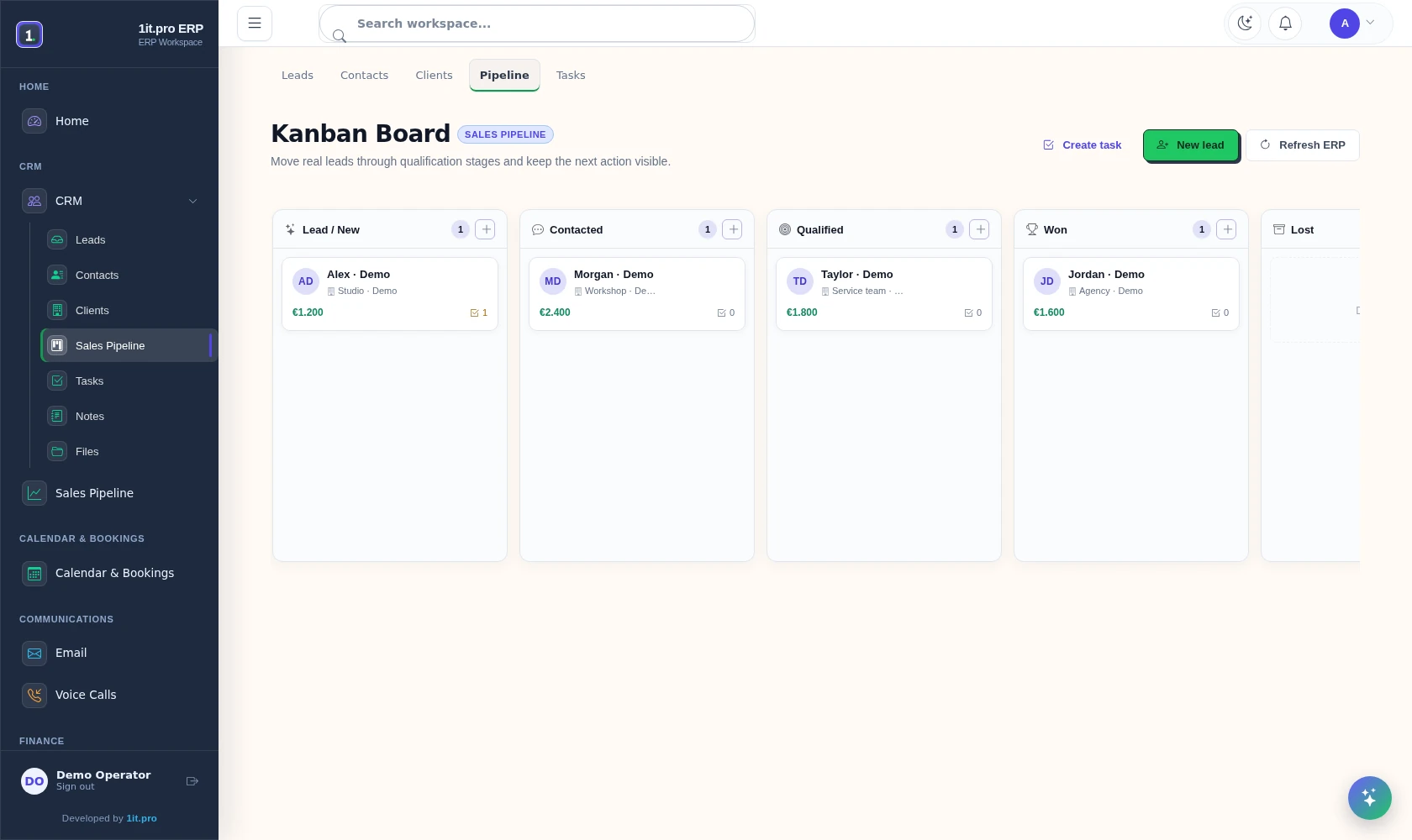
Follow enquiries through sales stages. Demonstration contacts and amounts; frontend capture with test API responses.
The first version does one job well: move work from incoming request to accountable outcome. Optional industry modules stay out of the way until the core process is working.
Capture leads from forms, email or connected channels without losing the source or context.
Every open request has a responsible person instead of sitting in a shared inbox.
Attach a task, deadline and follow-up to the record — not to somebody’s memory.
Keep contacts, notes, status changes and activity around the relationship.
See what became won, lost, delayed or still needs attention.
Add inbox, files, invoices, analytics or a vertical module after the core workflow proves useful.
Website forms, WhatsApp and Telegram arrive in one place, automation processes them, and the result is saved to the CRM record – on infrastructure you control.
Customer requests, contacts and follow-up in the CRM workspace.
Follow enquiries through sales stages. Demonstration contacts and amounts; frontend capture with test API responses.
Implementation is a working sequence, not a hand-off of an empty account.
We document lead sources, stages, owners, handoffs, required fields and the actions that currently fall through.
The CRM is installed, secured and configured with your company name, logo, workspace identity and access policy.
Existing leads, contacts and working records are mapped before import. The migration path is checked before production cutover.
Email, messengers, forms, callback, advertising and selected integrations are connected to the same record.
Operators receive a focused workspace and agreed rules for status, follow-up and ownership. Additional modules can be enabled later.
Follow enquiries through sales stages. Demonstration contacts and amounts; frontend capture with test API responses.
The CRM is not sold as a catalogue of industries. Start with leads, ownership and follow-up. Enable medicine, dentistry or service workflows only after the base process is clear.
Configure intake, request routing, reminders, role-aware handoff and operational records. The medicine module can expose its own Lakmus integration without adding it to unrelated workspaces.
Administrator accounts, password changes, an extra sign-in code and controlled customer access.
Installation tools for your own server, with a repeatable setup for daily business use.
Tools for making recovery copies of your records and files, and restoring them, are included.
Company name, workspace name, logo, application and browser icons are configurable.
A clear monthly base, one-time implementation and optional operating layers.
Leads, Kanban, tasks, clients, inbox, files and invoices.
Deployment, process setup, branding, access and launch.
Attribution workspace for website, advertising and call-tracking data.
Ongoing maintenance, help and operational changes.
Three practical questions, then leave the contact details for a focused implementation review.