
Missed calls
Patients expect a quick reply, but staff are already serving people in the clinic.
FrontDesk AI helps clinics respond faster, route requests, send reminders and keep patient intake records under control.
See the scheduling tools configured for a medical reception: appointments, clinicians and consultation types. Demonstration configuration in the existing booking interface.
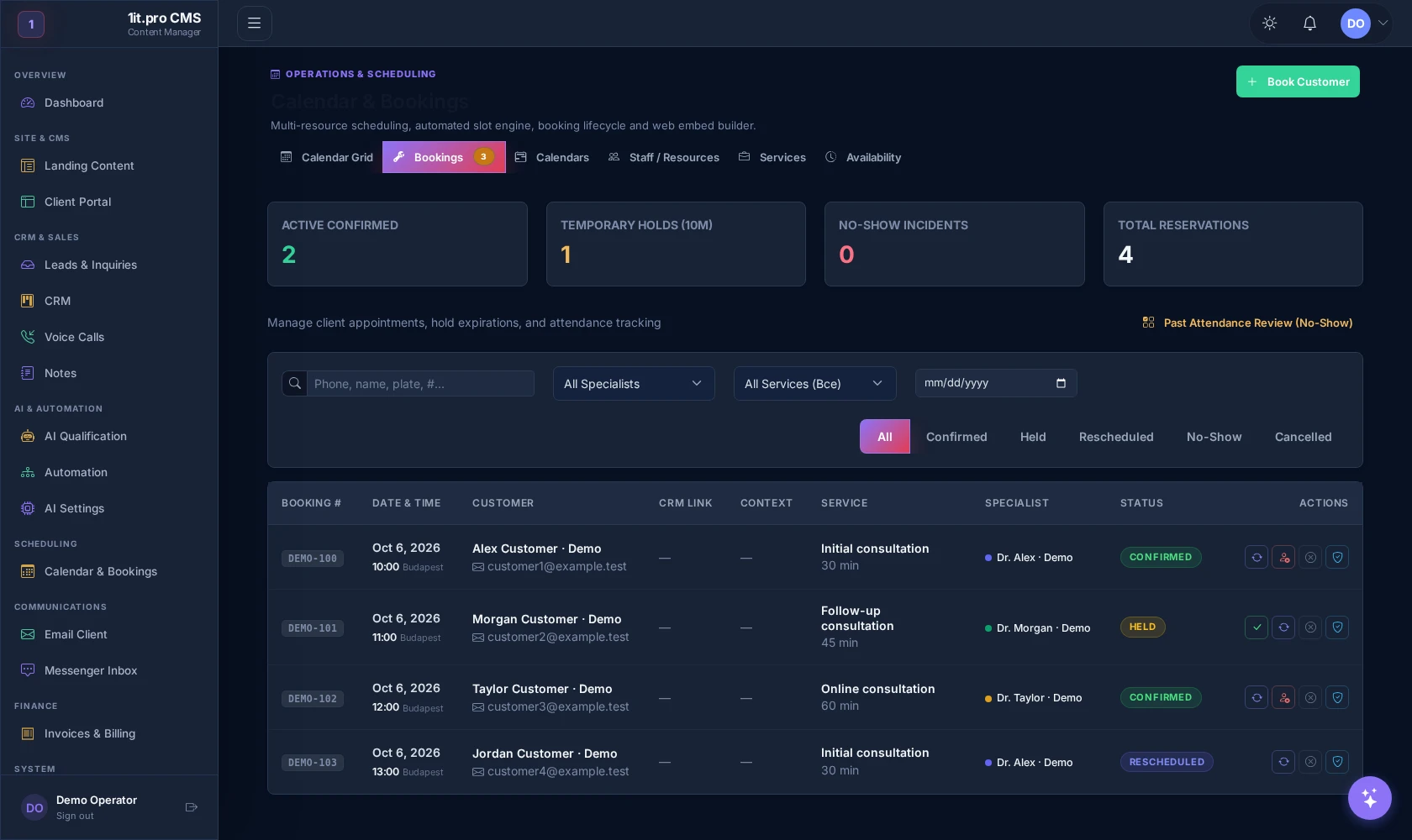
Existing scheduling interface configured with demonstration records. Names, services, durations and displayed prices are examples, not a service quotation. Live booking, reminders and message delivery are not demonstrated by this capture.
Patients expect a quick reply, but staff are already serving people in the clinic.
Follow-ups, confirmations and reminders depend on manual attention.
Reception repeats the same intake questions and copies details between systems.
Forms, calls and messengers create fragments instead of a reliable intake record.
Managers cannot easily see response speed, status, owner and next action.
Patients request the right visit type and preferred time through a guided path.
The assistant collects intake details and routes requests without medical overclaiming.
Confirmations and follow-ups reduce forgotten appointments and manual chasing.
Each request has source, status, owner, deadline, comments and history.
GDPR-aware consent, limited access and human handoff for sensitive questions.
We install the CRM, configure the medical module and connect intake to the people responsible for the next action.
The page asks a few practical questions and offers a clear next action.
The product supports intake and administration. It does not make medical decisions or replace regulated clinical work.
Patients understand what data is collected and why before they submit a request.
Roles keep operators, managers and viewers inside the right working area.
Sensitive or clinical questions are flagged for human review instead of automated answers.
Important status changes and comments remain visible for operational control.
It fits best when requests arrive through several channels and the team needs one controlled intake process.
Five questions to decide whether intake, reminders or CRM control should come first.